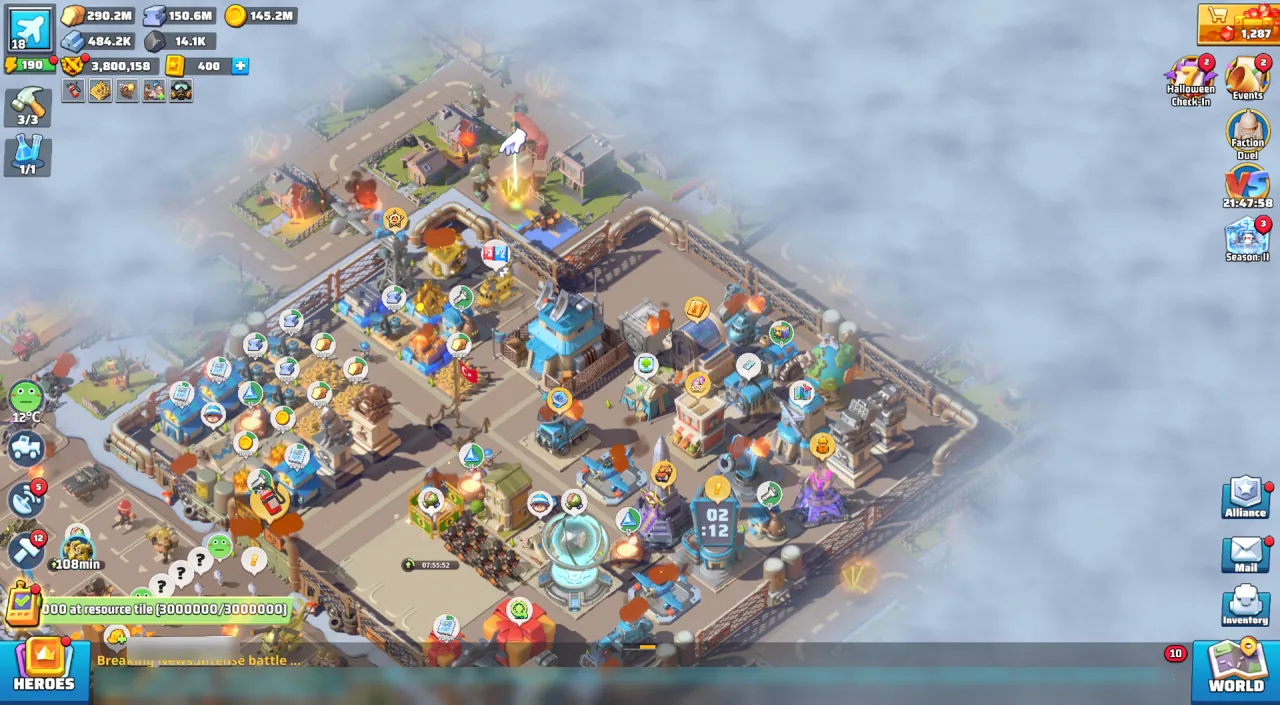
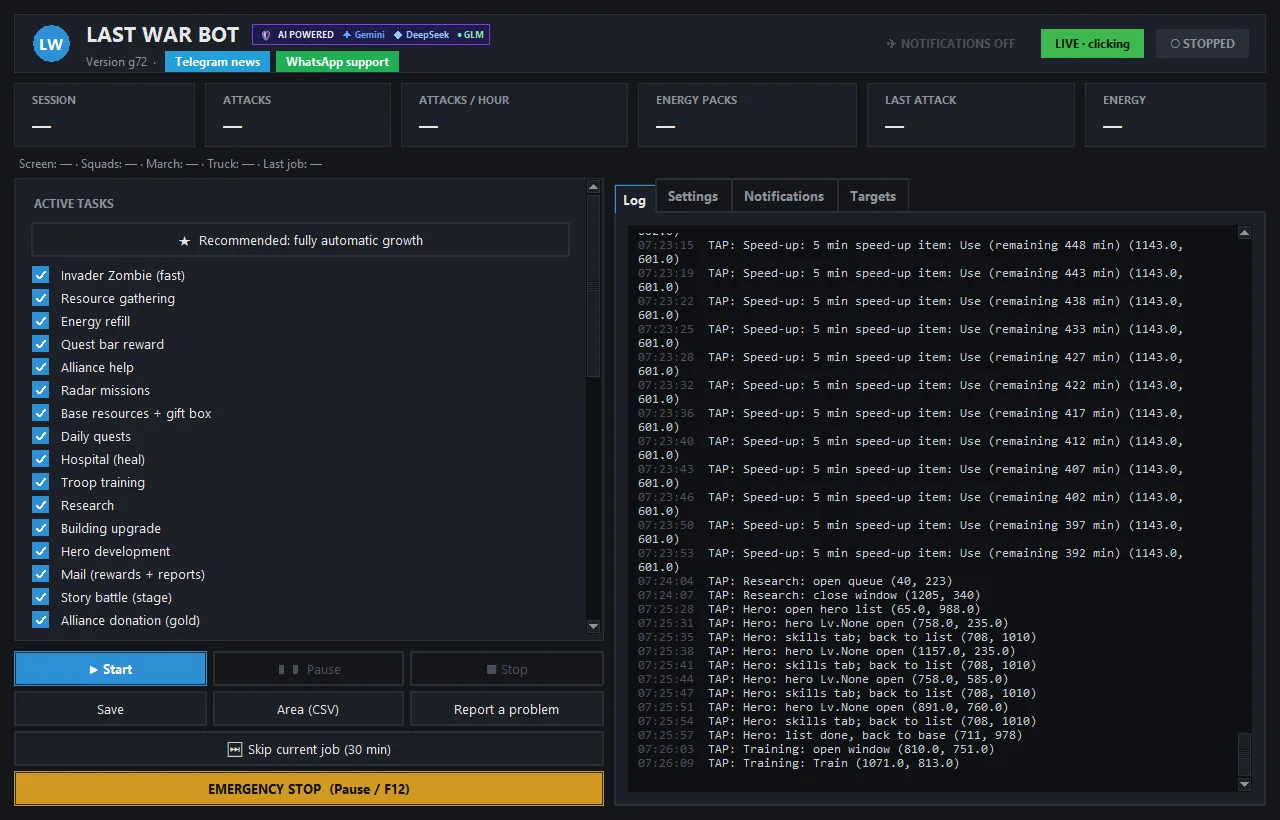
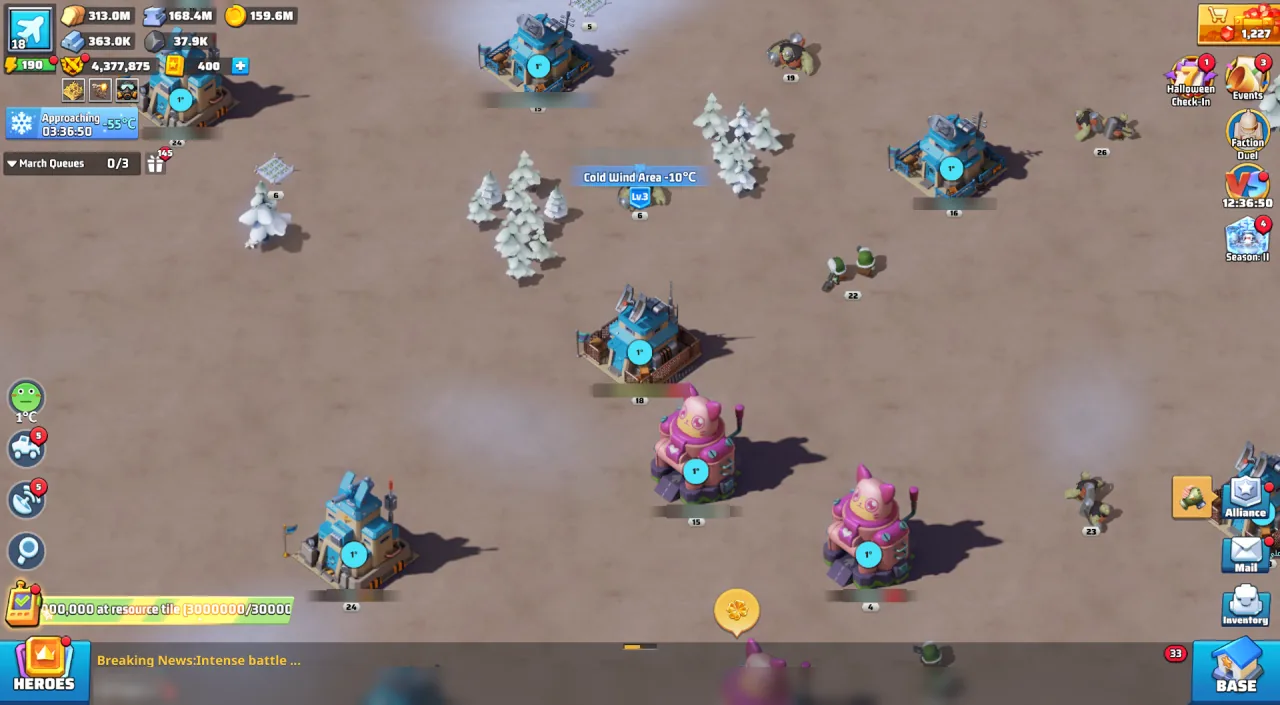
In short: Last War Bot is a tool developed to manage repetitive tasks in the game's official PC client via a Turkish panel. It offers ready-made features for zombies, resources, rewards, and basic alliance operations. It is an independent third-party program with no connection to the game's developer.
Why a Turkish Last War bot?
While playing Last War: Survival, you may need to return to the same screens repeatedly: searching for targets on the map, sending idle teams, collecting accumulated rewards, and monitoring energy status. Last War Bot manages some of these tasks from one control panel. Task checkboxes, settings and the live log are available in English; support is provided via WhatsApp.
The program runs on Windows 10/11 computers alongside the game's official PC client. It does not require emulator or Python installation. It opens via LastWarBotu.exe in a single folder. There is no Mac or phone support. Live verification was conducted at 1920x1080 full screen, 1920x1057 windowed, and equivalent 1366x768 resolutions; multi-monitor setups and 150% Windows scaling were also tested. 1600x900 and 2560x1440 have not yet been tested. The game must be in full-screen or maximized state and in the foreground.
This tool interprets the on-screen state to select the next click. Thus, instead of blindly repeating a fixed sequence of clicks, it can wait while a team is attacking or skip locked teams. However, it is not claimed to resolve every situation in the game or run uninterrupted. Users select tasks from the panel, set limits, and monitor the operation.
Quick overview of ready features
Details of features tested in live gameplay are on the Features page. We summarized what the bot does automatically with one click on the Last War auto bot page. Main ready tasks include:
| Area | Current capabilities |
|---|---|
| Zombie | Searches for Invading Zombies on the map; finds normal zombies and monsters using the game's Search button. Has Invading, Normal, and Both modes. |
| Energy & Team | Stops attacking at the specified minimum energy threshold, uses free energy packs, skips locked teams. |
| Resource | Selects resource type and level from the search screen and sends idle teams to gather. |
| Rewards | Collects ready Radar missions, daily quests, quest bar, HQ resources, gift boxes, mail, Season, and Arms Race chests; sends Heroes to Hidden Treasure quests, collects quest rewards, and digs in Hidden Treasure. |
| Development | One-click fully automatic development button opens buildings, research, heroes, chests, rewards, quests, and coins together. Checks Recommended Power in story battles; does not attack if power is insufficient. Upgrades buildings only with resources; supports hero level, star rank, new hero, and Equip All operations; also upgrades required buildings for research. |
| Alliance | Includes Alliance help, collecting gifts, donating tech with gold, and region scanning (CSV). Rally participation is beta, disabled by default, and the bot only joins rallies. |
| Control | Offers Turkish panel, timer, hang-up watchdog, Telegram commands, trial mode, and EMERGENCY STOP shortcut. |
| License | Just paste the short code received via WhatsApp and press Activate; when your subscription is extended, no new code is needed, the bot fetches the new end date from the internet itself. |
Test result: On our own test account, total power rose from around 735k on October 9 to approximately 1.4 million on October 14; nearly doubling in five days. Results vary depending on account, game level, and settings; this is not guaranteed.
On Radar and Daily Quest screens, it does not press the "Go" button leading to battle; it performs the "Collect" action for ready rewards. Instead of constantly clicking HQ resources, it collects them once accumulated. These distinctions ensure automation is used with awareness of which actions are permitted.
Splitting teams into different tasks, shield reading during region scans, and lighter digging participation are coming soon. Do not confuse these with currently working features; no update date is given.
How does it work? Three steps
- Prepare the PC client and program. Open the game from the official client on a Windows computer. Run
LastWarBotu.exefrom a single folder; some computers may require Microsoft Visual C++ 2015–2022 (x64) runtime. Details are on the Installation and Download Last War bot pages. - Set up license and tasks. Paste the short license code received via WhatsApp and press Activate. Select task checkboxes, team, energy limit, zombie mode, and relevant level ranges from the Turkish panel. A free trial license is available for the first 7 days.
- Bring the game to the front and press Start. Keep the game window in the foreground in full-screen or maximized state. You can first watch without clicking in trial mode, then start the selected tasks. Use Pause/Break (or F12) for EMERGENCY STOP when needed.
The program reads the screenshot using image recognition, Turkish OCR, and template matching. Then it clicks with the mouse. When another window comes to the front, it stops clicking and waits for the game window to become suitable again. With Telegram commands, you can ask for status, take screenshots, pause/resume, or toggle tasks on/off.
Security approach and real risks
Last War Bot does not read game memory, modify game files, interfere with network traffic, or inject code into the game. Operating via screen recognition limits technical intervention. It uses human-like random delays. It does not open the exit window by pressing ESC on the map.
The security shield prevents clicking on diamond purchases, paid items, price tags, diamond acceleration, and "Finish Now" buttons. It avoids touching locked team slots that contain purchase offers. Before clicking, it verifies whether a game window is actually present beneath the target point; if another window is in front, it waits.
These measures reduce but do not eliminate risk. Any automation may violate game rules; usage decisions and responsibility lie with the user. No one can promise zero risk of an account ban. See the Security page for a clear explanation of risks and limitations.
No diamond or resource cheats are offered. These values are stored server-side. The program's purpose is to manage specific repetitive tasks visible on the game screen.
Comparison: what do you need?
| Option | How it works | Things to consider |
|---|---|---|
| Manual play | The player selects every target and reward. | Repetitive tasks remain with the player. |
| Fixed click sequence | Clicks predefined locations. | Limited ability to interpret changes on the screen. |
| Last War Bot | Reads the screen to make decisions in supported tasks and operates via mouse. | Requires Windows PC, proper game window, and user supervision; automation risk persists. |
What sets Last War Bot apart is its Turkish panel and support, emulator-free operation with the official PC client, task selection via screen reading, and a security shield that excludes purchase buttons. This table makes no claims about other products' features; evaluate your own needs and the game's rules when choosing.
Early access and pricing summary
The product is in early access. Ready features are available; those under "coming soon" will be delivered via updates. No specific delivery date is promised. Monthly license is 199 TL, lifetime license is 1,999 TL. A 7-day free trial license is provided initially. Lifetime licenses include all updates; monthly licenses include updates received during the subscription period.
Purchase and licensing are handled via WhatsApp: 0538 054 55 53. You paste the short code sent to you into the program; the code binds to the first computer where it is activated. Check the Pricing page to compare packages or message us on WhatsApp. During the trial period, you can enable only the tasks you need to see how the program installs and works.
Frequently asked questions
Is Last War Bot an official product of the game?
No. It is an independent third-party tool; it has no connection to FirstFun or the developers of Last War: Survival.
Does it work on phone or Mac?
No. It requires a Windows 10/11 PC and the official PC client of the game. No emulator is needed.
Is ban risk completely eliminated?
No. Reading the screen and operating via mouse is a method aimed at reducing risk; any automation may violate game rules. Details are on the Security page.
Does the program make paid purchases?
The security shield does not click on diamond, purchase, price tag, or diamond acceleration buttons. Free energy packs can be used; those bought with diamonds or money are untouched.
How do I continue after the free trial?
After the initial 7-day free trial license, you can choose a monthly or lifetime license. Licenses are tied to a specific computer. For details, check the Pricing page or message us on WhatsApp: 0538 054 55 53.